IPTV Smarters Pro Subscription: What You Actually Need to Buy
Smarters Pro is a player app with zero channels of its own. The subscription you are searching for is the provider login you type into it — here is how the two fit together.
- App + provider explained
- Xtream login walkthrough
- Works with Watchit from $25
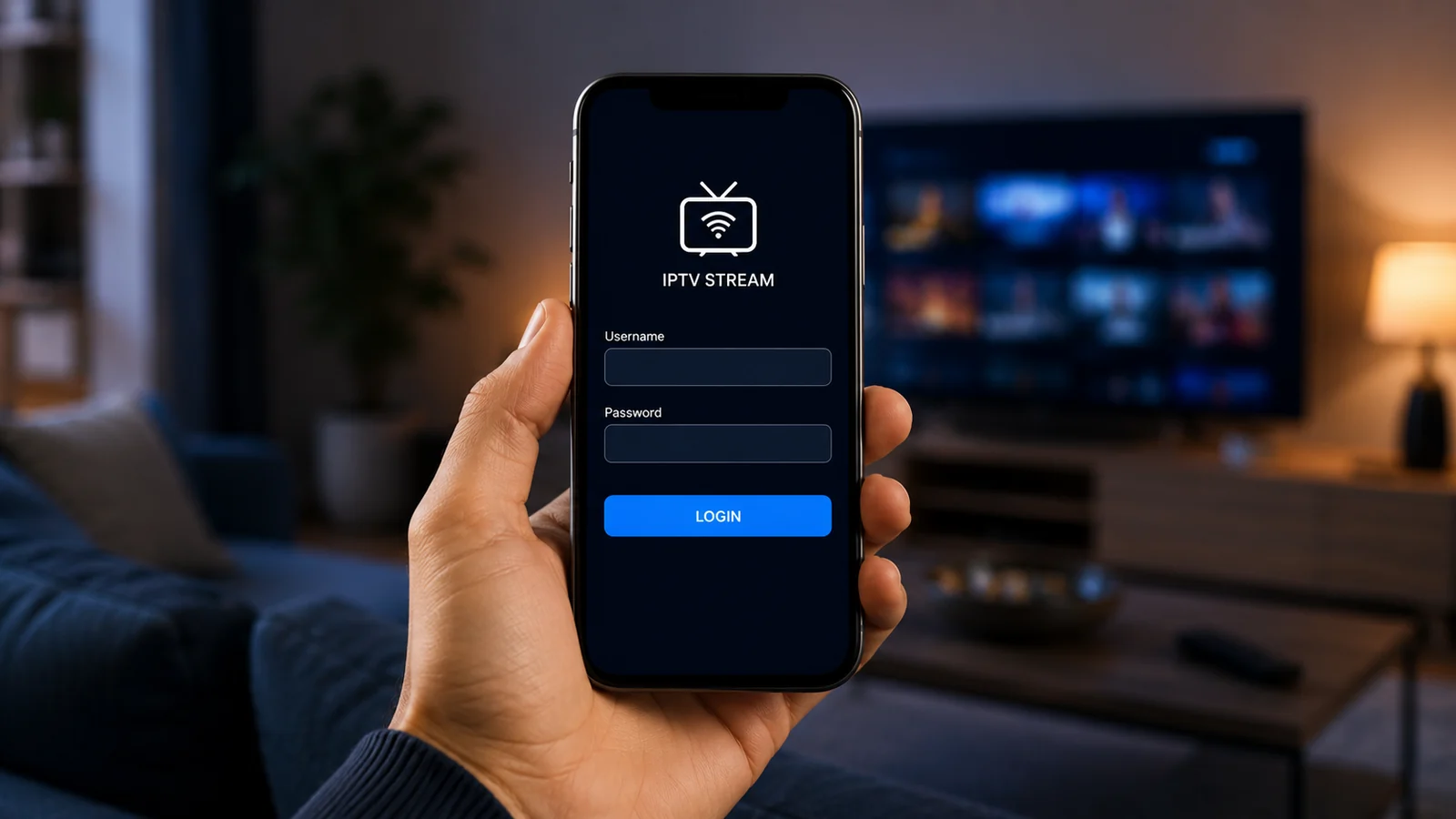
An IPTV Smarters Pro subscription is the single most misunderstood purchase in streaming, because the app itself sells nothing to watch. IPTV Smarters Pro is a third-party media player: a clean interface that organizes live channels, movies, and series delivered by a separate IPTV provider. When people search for a Smarters subscription, what they actually need is a provider account — a server URL, username, and password — to plug into the app. This page settles the confusion for good: what the app costs, which devices run it, how to connect a Watchit account in under five minutes, and what to do when Smarters misbehaves.
Watchit Inside IPTV Smarters Pro: A Strong Pairing
Smarters gives you the interface; Watchit supplies the content behind it. Together they cover live TV, VOD, and a full program guide on almost any screen you own.
22,000+ Channels in the App
Log in once with your Watchit Xtream credentials and Smarters populates every live category — news, sports, entertainment, kids, international — sorted into the app's familiar tile layout automatically.
80,000+ VOD Titles Organized
Smarters splits Watchit's movie and series catalog into browsable shelves with posters and descriptions, so the on-demand library feels like a mainstream streaming app rather than a raw playlist.
Anti-Freeze Streams the App Can Trust
A player is only as smooth as the server feeding it. Watchit's anti-freeze infrastructure keeps Smarters' buffer bar full, which is where cheap providers usually fall apart first.
EPG That Actually Loads
Watchit ships a working EPG feed, so the Smarters guide view shows real titles and airtimes instead of the blank grid many providers leave you staring at.
One Login, Many Installs
Install Smarters on your Firestick, phone, and laptop, then enter the same Watchit credentials on each. Simultaneous playback depends on your plan, but installation is unlimited.
24/7 Help When Setup Stalls
If a login fails or the EPG will not refresh, Watchit support answers on WhatsApp around the clock and walks you through the exact Smarters screens causing trouble.
Connect Watchit to IPTV Smarters Pro in Five Minutes
No technical skills needed. Pick a plan, receive your login credentials by email, and start watching on any device.
Install the app on your device
Grab IPTV Smarters Pro from the App Store or Google Play, or sideload the APK on a Firestick using the Downloader app. Smart TV owners can search their TV's own store first.
Choose Xtream Codes login
Open Smarters, accept the terms screen, and pick “Login with Xtream Codes API” — the standard option Watchit credentials are built for.
Enter your Watchit credentials
Type the server URL, username, and password from your Watchit welcome message exactly as sent. A single stray space in the URL is the most common cause of a failed login.
Let the content sync
Smarters downloads the channel list, VOD catalog, and EPG on first login. On a Firestick this takes 30 to 90 seconds; leave the app open until the home tiles appear.
Set your preferences
In Settings, switch the stream format to MPEG-TS if channels stutter, pick your preferred player engine, and enable automatic EPG refresh so the guide stays current.
Why Watchit Is the Provider to Put Behind Smarters
Smarters is a shell — every complaint about freezing, missing guide data, or dead links traces back to the provider. Watchit was built to be the dependable half of that equation: stable servers, real EPG data, honest plans from $25, and support that answers.
- Xtream Codes login format Smarters expects, sent instantly after checkout
- 4K and FHD streams where available, matched to your connection
- Working EPG feed for the Smarters guide view
- Plans from 3 months at $25 to 12 months at $70
- Multi-Screen option with 3 simultaneous streams for $140/year
- 24-hour free trial you can test inside Smarters tonight
Your App Is Ready — It Just Needs Channels
Smarters is installed in two minutes. A Watchit plan fills it with 22,000+ live channels and 80,000+ movies and series, starting at $25 for 3 months.
IPTV Smarters Pro vs. Popular Player Alternatives
| Features | Feature | IPTV Smarters Pro | TiviMate | XCIPTV |
|---|---|---|---|---|
| Platforms | Android, iOS, Fire TV, Smart TV, Windows, macOS | Android TV and Fire TV focused | Android and Fire TV | |
| Login types | Xtream Codes, M3U, MAC portal | M3U and Xtream Codes | Xtream Codes and M3U | |
| Free version | Yes, with ads on some builds | Limited free tier, premium unlock | Yes, with ads | |
| EPG guide view | Full grid with catch-up support | Best-in-class customizable grid | Solid grid, fewer layout options | |
| VOD and series shelves | Strong poster-based layout | Improving, live-TV first | Good poster layout | |
| Multi-playlist support | Yes, several provider logins | Yes, strongest playlist manager | Yes | |
| Works with Watchit | Yes | Yes | Yes |
Choose Your IPTV Plan
Simple, transparent pricing. Every plan includes the full channel lineup, the VOD library, and 24/7 support. Cancel anytime.
3 Months
The easy way to try premium IPTV without a long commitment.
$45 Save 44%
Get 3 Months- 22,000+ live channels
- 80,000+ movies & series (VOD)
- Full HD and 4K where available
- Works on 1 device at a time
- Anti-freeze servers and EPG guide
- 24/7 support on WhatsApp
6 Months
The balanced pick if you watch TV every day.
$80 Save 44%
Get 6 Months- Everything in the 3-month plan
- Priority anti-buffering streams
- Premium channels in 4K and Full HD
- Works on 1 device at a time
- Free updates and catch-up TV
- Fast 24/7 support
12 Months
The lowest monthly price. Our most popular plan.
$140 Save 50%
Get 12 Months- Everything in the 6-month plan
- The lowest price per month
- 22,000+ channels in 4K/FHD
- Premium anti-freeze network
- Multi-device ready
- VIP priority 24/7 support
Still not sure? Start a free trial before you buy.
IPTV Smarters Pro Is a Player, Not a Channel Service: Start Here
Before anything else, lock in this distinction: IPTV Smarters Pro contains zero channels, zero movies, and zero subscriptions of its own. It is a media player developed by WHMCS Smarters, a software company that builds tools for IPTV businesses — and to be clear, Watchit has no affiliation with those developers. Opening Smarters without a provider account is like opening a web browser with the internet unplugged: the interface loads, but there is nothing behind it.
The app's entire job is presentation. It takes a stream source you supply — typically an Xtream Codes login from a provider like Watchit — and renders it as a polished TV experience with channel tiles, a program guide, and on-demand shelves. That is why two people running the identical app can have wildly different experiences: one plugged in a stable provider, the other a flaky one. If you remember one thing from this page, make it this: you buy the subscription from a US IPTV provider, and Smarters is simply where you watch it.
What an “IPTV Smarters Pro Subscription” Really Means (App vs Content)
Roughly 1,600 Americans search for an IPTV Smarters Pro subscription every month, and nearly all of them are asking the wrong question without knowing it. There are two completely separate products hiding inside that phrase, and confusing them leads people to pay for the wrong thing.
- The app license: Smarters is free to download on most platforms. Some builds show ads or gate cosmetic features behind a small one-time unlock. This payment goes to the app developer and delivers exactly zero channels.
- The provider subscription: this is the actual content — the server URL, username, and password that fill the app with live TV and VOD. This is what Watchit sells, with plans running from $25 for 3 months to $70 for a full year.
Scam sites exploit this confusion by selling “Smarters Pro premium subscriptions” at inflated prices that are really just repackaged provider logins of unknown quality. The safe route is direct: pick a provider with transparent pricing plans, get your credentials, and enter them into the free app yourself. You keep control of both halves and know exactly what each one costs.
IPTV Smarters Pro Review: Interface, EPG, and Features Explained
As a player, Smarters earns its popularity. The home screen splits content into Live TV, Movies, and Series tiles, each opening into category lists that mirror how your provider organizes its lineup. Navigation with a Firestick remote is responsive, and the search function digs across live channels and the VOD catalog in one pass.
The EPG is the standout feature. Switch to guide view and you get a scrollable grid of what is on now and next across every channel — provided your provider actually supplies EPG data, which Watchit does. Smarters also supports catch-up on providers that enable it, multi-screen viewing within the app (splitting one display into up to four panes), parental controls with a PIN, and an external player option that hands playback to VLC when a stream format misbehaves.
Weak points exist. The default settings bury useful options like stream format switching three menus deep, the iOS version trails the Android build in features, and the app's own recording function depends entirely on provider permissions. Honest verdict: an excellent free player that ranks near the top of any IPTV player comparison, held back only by whatever service you feed it.
App Pricing: The Free App vs Premium Versions
Here is the app's own cost structure, stated plainly. The standard IPTV Smarters Pro download is free on Android, iOS, and most smart TV stores. Certain builds display banner ads, and the developer offers paid tiers that remove those ads and add conveniences like additional themes or priority updates. Exact figures vary by platform and change over time, so check the listing on your own device's store rather than trusting a third-party site quoting a price.
What matters for your budget is proportion. Whatever the app's optional unlock costs, it is pocket change next to the provider subscription — and it adds nothing to watch. If you are allocating money, put it where the content is. A Watchit plan at $25 for 3 months delivers the 22,000+ channels and 80,000+ VOD titles that make the app worth opening; the free app tier plays all of it identically to any paid tier. Plenty of long-term users run the free version for years. Treat any website charging a premium specifically for “Smarters Pro with channels included” as a red flag, because that bundle is exactly the confusion scammers monetize.
Supported Devices: Firestick, Android, iOS, Smart TV, PC
Smarters covers more platforms than almost any competing player, which is a real advantage for households with mixed hardware. Here is the practical rundown:
- Amazon Firestick and Fire TV: the most popular home. The app is sideloaded via Downloader (code method) since availability in the Amazon Appstore fluctuates. Full remote navigation, smooth on the Firestick 4K and 4K Max.
- Android TV and Google TV: Chromecast with Google TV, NVIDIA Shield, and onn. boxes install it straight from Google Play. The Shield remains the smoothest device for heavy 4K use.
- Android phones and tablets: direct Play Store install; handy for watching in bed or casting.
- iPhone and iPad: available on the App Store, occasionally under the sibling name IPTV Smarters Player. Feature set trails Android slightly.
- Samsung Tizen and LG webOS: the Smarters family app appears in both TV stores in most regions, making a smart TV setup possible with zero extra hardware.
- Windows and macOS: desktop builds exist for laptop viewing, useful for offices and dorms.
One Watchit login works across all of them — install anywhere, sign in, and your channel list follows you.
How to Set Up Watchit on IPTV Smarters Pro Step by Step (Xtream Login)
The full walkthrough, using the Firestick as the example since it is the most common device. Total time is about five minutes.
- Enable sideloading: on your Firestick, go to Settings → My Fire TV → Developer Options and allow apps from unknown sources for the Downloader app.
- Install Downloader: search for it in the Amazon Appstore and install — it is free and widely used for exactly this purpose.
- Download the Smarters APK: open Downloader and enter the official Smarters APK URL. Install when prompted, then delete the APK file to free space.
- Get your Watchit credentials: after you buy an IPTV subscription or start a trial, Watchit sends your server URL, username, and password within minutes.
- Log in via Xtream Codes API: open Smarters, choose the Xtream option, and enter the three fields exactly as received. Watch for auto-capitalization on TV keyboards — credentials are case-sensitive.
- Wait for the sync: the app pulls channels, VOD, and EPG. When the home tiles show counts next to Live, Movies, and Series, you are done.
Phone and tablet users skip steps 1–3 and install straight from their app store; the login process is identical on every platform.
Using Smarters on Multiple Devices: Installs vs Simultaneous Streams
The phrase “IPTV Smarters Pro 4 devices” floats around forums constantly, and it conflates two different limits. Let's separate them honestly.
Installs are unlimited. The app itself does not restrict how many devices carry your login. Put Smarters on your Firestick, your phone, your work laptop, and the bedroom TV, and sign in to all four with the same Watchit credentials. Your channel list and VOD library appear identically everywhere.
Simultaneous streams are set by the provider. This is the limit that actually bites. A Watchit standard plan ($25/3mo, $45/6mo, $70/12mo) supports one active stream at a time — start playback on the living room TV and the tablet stream stops. The Multi-Screen plan at $140 for 12 months raises that to 3 concurrent streams, so three people in the house can watch three different channels at once. There is also Smarters' built-in multi-screen view, which splits one TV into up to four panes — but every pane counts as a stream against your plan, so it needs Multi-Screen to run more than one feed. Households comparing options should read the multi-connection guide before picking a plan.
EPG, VOD, and Series Navigation Inside Smarters
Once logged in, three areas do the daily work. The EPG guide lives behind the Live TV tile: switch the view mode from the top bar to see the full timeline grid. With Watchit's guide feed loaded, you can scroll what is airing now and later across news, sports, and entertainment categories, and jump straight into any live program. If titles ever look stale, Settings → EPG → Refresh forces a re-download in under a minute.
The Movies section presents Watchit's film catalog as poster shelves sorted by genre and recency, each title opening a detail page with a synopsis and runtime before you commit. The Series tile handles episodic content properly: seasons are grouped, episodes are numbered, and the app remembers your position mid-episode, so resuming a show works the way it does on mainstream platforms.
Two power-user habits worth adopting: mark your regular channels as favorites (long-press on most devices) to build a shortlist that loads instantly, and use the master search from the home screen — it queries live channels, movies, and series in one shot, which beats browsing categories when you know what you want. Sports fans can pair favorites with the guide view to track a full week of games without hunting through category lists.
Common Smarters Errors and How to Fix Them
Most Smarters problems have five-minute fixes. Work through these in order:
- “Invalid username or password”: nine times out of ten, a typo or trailing space from the TV keyboard. Re-enter the credentials manually, checking capitalization. If it persists, your subscription may have lapsed — verify your plan status.
- Channels load but freeze or buffer: switch the stream format from HLS to MPEG-TS in Settings → General, restart the app, and test again. If buffering continues on every channel, run a speed test; live FHD wants a stable 15–25 Mbps.
- Blank or wrong EPG: Settings → EPG → Refresh. If the grid stays empty, clear the app cache (device settings → apps → Smarters → clear cache) and log in again.
- App crashes on launch: usually a corrupted cache after an update. Clear cache first; if that fails, uninstall and reinstall — your provider login is all you need to restore everything.
- VOD titles spin without playing: switch the default player to the built-in alternative engine, or install VLC and set it as the external player for on-demand content.
If a stream problem survives all five fixes, it is provider-side — which is exactly when Watchit's 24/7 WhatsApp support earns its keep.
IPTV Smarters Pro Alternatives Worth Trying
Smarters is a fine default, but it is not the only capable player, and your Watchit login works in all of the serious ones. TiviMate is the enthusiast favorite on Android TV and Fire TV: its guide grid is the best in the category and deeply customizable, though the full experience sits behind a premium unlock and there is no iOS version. XCIPTV offers a similar Xtream-based login with a slightly simpler layout and a built-in player switcher that handles stubborn streams well. On Apple hardware, iMPlayer and Smarters Player Lite cover the iPhone, iPad, and Apple TV side capably.
The practical advice: because Watchit uses standard Xtream Codes credentials, switching players costs nothing and takes two minutes — install the alternative, enter the same three fields, done. Try TiviMate if you live in the guide view, stick with Smarters if you split time between live TV and VOD shelves, and keep XCIPTV as the backup when a specific stream format misbehaves. Firestick owners can find device-specific recommendations in our Firestick IPTV guide. The player is a preference; the provider behind it is the decision that matters.
Why Your Provider Determines the Smarters Experience
Every quality complaint aimed at Smarters — buffering, dead channels, a blank guide, VOD that never loads — is almost always a provider problem wearing the app's clothes. Smarters renders whatever the server sends. Feed it an overloaded server reselling streams through three middlemen, and the slickest interface in the world will still freeze during the fourth quarter.
That is why the real comparison shopping happens at the provider level, and why the same evaluation criteria apply that separate legitimate services from churn-and-burn operations: transparent pricing, a genuine trial, responsive support, and infrastructure built for peak hours. Watchit's case is concrete — anti-freeze servers engineered for evening load, 4K and FHD delivery where available, a maintained EPG feed that keeps the Smarters guide accurate, and support humans reachable on WhatsApp at 2 a.m. All of it is testable through the 24-hour free trial before a dollar changes hands: load the trial credentials into Smarters tonight, watch your regular channels during prime time, scrub through a 4K movie, and judge the results on your own screen. The app is free either way; the provider is where quality is bought.
Test the Full Setup Before You Spend a Dollar
Load 24-hour trial credentials into Smarters tonight and judge the streams, guide, and VOD on your own TV during prime time.
Frequently Asked Questions
Everything you need to know before you subscribe. Still have questions? Our support team is available 24/7.
Related IPTV guides and plans
Get a Watchit Subscription for IPTV Smarters Pro
Credentials arrive within minutes of checkout — enter them in Smarters and you are watching tonight. Plans from $25 for 3 months, PayPal, card, or crypto accepted.