IPTV Channel List USA: 22,000+ Live Channels Mapped by Category
See how Watchit organizes 22,000+ live channels and 80,000+ movies and series into browsable categories — then verify the complete lineup yourself with a free 24-hour trial.
- 22,000+ live channels across every major category
- 80,000+ movies & series on demand
- Verify the full list free for 24 hours

An IPTV channel list USA searchers can actually trust is rare — most pages either paste screenshots that were outdated the day they were published, or invent lineups they can never guarantee. Watchit takes a different approach. This page maps what 22,000+ live channels and 80,000+ on-demand movies and series look like by category: US entertainment, news, sports, kids, music, and international programming from South Asia, Latin America, Europe, and beyond. Then, instead of asking you to take our word for it, we hand you the real thing — a free 24-hour trial where you scroll the complete, current lineup on your own device before spending a dollar.
What a 22,000-Channel Lineup Gives You Day to Day
Raw channel counts mean little until they translate into things you actually watch. Here is what the breadth of the Watchit lineup delivers in practice.
Every Major Category Covered
News, entertainment, sports, movies, kids, documentaries, music, lifestyle, and religious programming all sit in dedicated groups, so 22,000+ channels feel organized rather than overwhelming from your first session.
Deep International Sections
Hindi, Malayalam, Tamil, Arabic, Spanish, Portuguese, French, and dozens of other language groups get their own category folders — useful for households that follow programming from more than one country.
80,000+ VOD Titles Alongside Live TV
The movies and series library sits next to the live guide in the same app, so when nothing live appeals, you switch to on-demand in two clicks instead of changing services.
4K and FHD Where Available
Popular channels stream in 4K or Full HD where the source feed supports it, backed by anti-freeze servers built to hold the picture steady during peak evening hours.
Search, Favorites, and EPG Built In
A full electronic program guide plus in-app search and favorites lists means you navigate a huge lineup the way you would a 100-channel cable package — quickly.
How to Browse the Complete Channel List Before You Pay
No technical skills needed. Pick a plan, receive your login credentials by email, and start watching on any device.
Request the free 24-hour trial
Message Watchit support on WhatsApp and ask for trial access. Activation typically takes minutes, and no payment method is required to start.
Load the lineup in your player app
Enter your trial credentials into IPTV Smarters Pro, TiviMate, or the player of your choice on a Firestick, Android box, Smart TV, or phone. The full channel list downloads automatically.
Scroll the categories that matter to you
Open the sports, news, local-style, and international sections you care about. Check the EPG data, test a few streams during evening hours, and confirm picture quality on your own internet connection.
Subscribe if the lineup fits
If the channels you wanted are there, pick a plan — 3 months at $25, 6 at $45, 12 at $70, or Multi-Screen at $140 — and your trial setup carries straight over.
Why Verify a Channel List With Watchit Instead of Trusting a Screenshot
Published channel lists age badly — lineups shift, streams get renumbered, and screenshots freeze a moment that no longer exists. Watchit skips the theater: you get the live, current, complete list on your own screen for 24 hours, which is the only channel list that ever mattered.
- 24-hour free trial shows the full, current lineup — not a marketing excerpt
- 22,000+ live channels and 80,000+ VOD titles in one subscription
- Category-first organization with EPG, search, and favorites
- 4K/FHD streams on anti-freeze servers where feeds allow
- 24/7 WhatsApp support to help you find specific categories
- Plans from $25 for 3 months once you have verified the list
Stop Reading Lists — Start Scrolling One
The categories above are the map; the free trial is the territory. Load the full 22,000-channel lineup on your own device in minutes.
Channel Categories at a Glance: Live TV vs. On-Demand Coverage
| Features | Category Group | Live Channels | VOD Library | Typical Quality |
|---|---|---|---|---|
| US Entertainment & News | Extensive — national and regional-style feeds | Series box sets and specials | 4K/FHD where available | |
| Sports | Dedicated game-day and league-style sections | Documentaries and replays | FHD, 4K on select feeds | |
| Movies | 24/7 themed movie channels | 80,000+ films and series | Up to 4K | |
| Kids & Family | Cartoon and family blocks | Animated films and shows | FHD | |
| International | South Asian, Latin, Arabic, European groups | Regional films and series | FHD, source-dependent | |
| Music & Lifestyle | Music video and lifestyle feeds | Concert specials | FHD |
Choose Your IPTV Plan
Simple, transparent pricing. Every plan includes the full channel lineup, the VOD library, and 24/7 support. Cancel anytime.
3 Months
The easy way to try premium IPTV without a long commitment.
$45 Save 44%
Get 3 Months- 22,000+ live channels
- 80,000+ movies & series (VOD)
- Full HD and 4K where available
- Works on 1 device at a time
- Anti-freeze servers and EPG guide
- 24/7 support on WhatsApp
6 Months
The balanced pick if you watch TV every day.
$80 Save 44%
Get 6 Months- Everything in the 3-month plan
- Priority anti-buffering streams
- Premium channels in 4K and Full HD
- Works on 1 device at a time
- Free updates and catch-up TV
- Fast 24/7 support
12 Months
The lowest monthly price. Our most popular plan.
$140 Save 50%
Get 12 Months- Everything in the 6-month plan
- The lowest price per month
- 22,000+ channels in 4K/FHD
- Premium anti-freeze network
- Multi-device ready
- VIP priority 24/7 support
Still not sure? Start a free trial before you buy.
What 22,000+ Channels Actually Looks Like: The Category Map
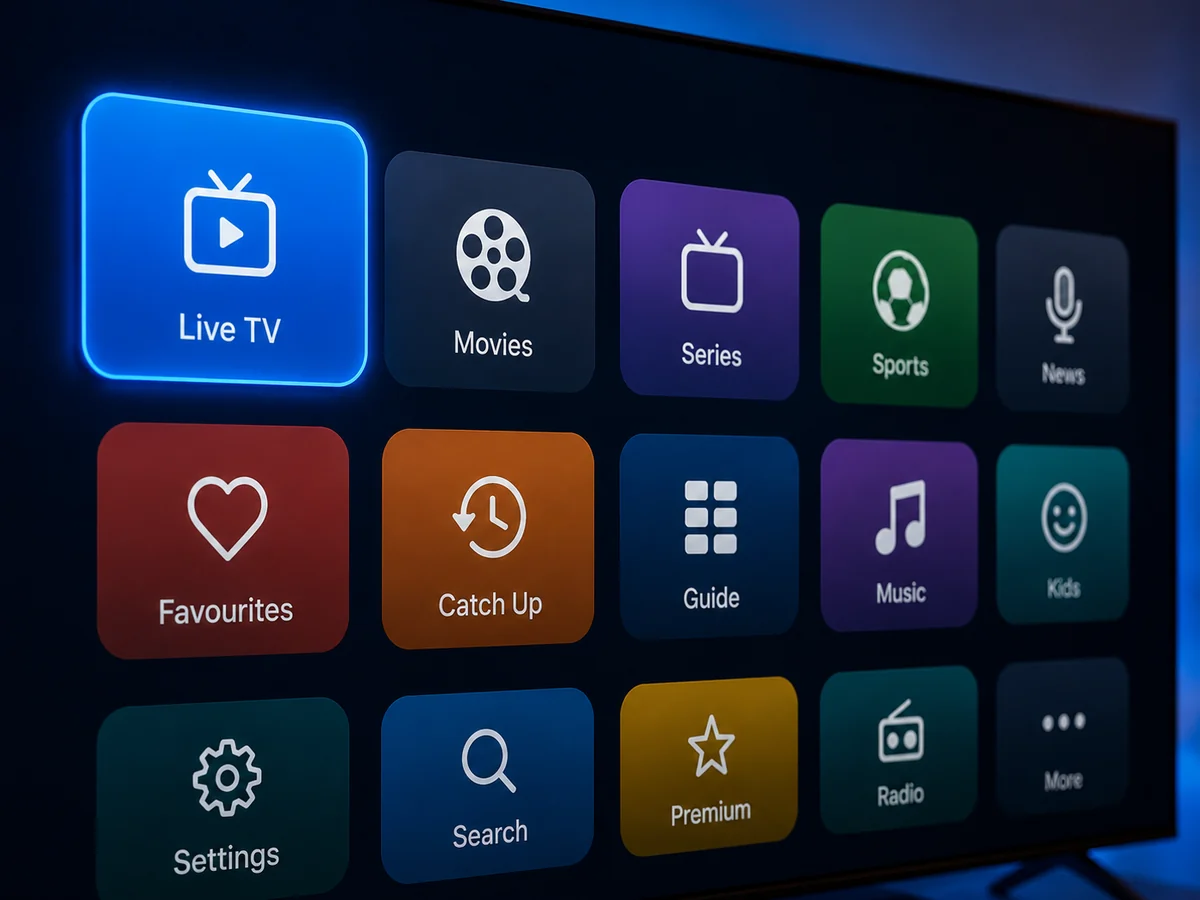
Nobody scrolls 22,000 channels one by one — and with Watchit, you never have to. The lineup is structured as a category tree: top-level groups for US content, sports, movies, kids, news, music, documentaries, and international programming, each splitting into tighter subgroups. Open the sports group and you find sections organized by sport and by event type; open international and you find folders sorted by language and region. It works like a well-run library rather than a warehouse.
This structure is what separates a usable service from a chaotic one, and it is worth checking when you run any iptv channel comparison. A provider can advertise a huge number, but if those channels arrive as one endless unsorted scroll, the count is a burden instead of a benefit. When people ask which iptv service has the most channels, the smarter question is which service organizes its channels so the ones you want surface in seconds. Category depth, consistent naming, and working EPG data matter more than another thousand feeds you will never open. The sections below walk through each major group so you know exactly what to look for when you test the full lineup free for 24 hours.
US Entertainment, News, and Local-Style Channel Categories
The US portion of the lineup is the backbone for most American subscribers. Entertainment categories carry general-interest feeds running dramas, sitcoms, reality programming, and talk formats around the clock. News categories include national-style and international English-language news feeds, plus business and weather-focused streams — useful if you keep a news channel running in the background during the workday.
Searches for the best iptv with local channels deserve a straight answer: IPTV lineups typically include regional-style and city-oriented feeds, but coverage of any specific local station varies by provider and changes over time. If your priority is a particular hometown broadcast, the honest path is twofold. First, check the trial — the local-style categories are right there to browse, and iptv providers with local channels worth considering will always let you verify before paying. Second, remember that every major US broadcast network runs its own official app and website, which remain the guaranteed route to a specific station's feed. Watchit's role is breadth: thousands of entertainment and news options in one guide, at a fraction of what stacking cable and multiple apps costs. For a wider look at what US-focused packages include, see the IPTV USA overview.
Sports Channel Categories: What US Fans Typically Find on IPTV
Sports is the category most subscribers check first, and the structure here is deliberately deep. Rather than one bloated folder, the lineup breaks sports into sections by discipline — football, basketball, baseball, hockey, soccer, combat sports, motorsports, golf, tennis — and by format, with dedicated game-day and event sections that populate around major fixtures. International soccer gets particularly wide treatment, with league-oriented groupings covering European and Latin American competitions.
What to Test During Your Trial Window
The best iptv channels for sports are the ones that hold up under load, so schedule your trial around a live event if you can. Tune into a game during its actual broadcast window, watch for buffering in the second half when traffic peaks, and flip between two or three feeds of the same event to compare stream stability. Anti-freeze servers are built exactly for these peak moments, but your own connection and device matter too, so a real-world test beats any promise on a sales page. Check EPG accuracy as well: kickoff times listed in the guide should match reality. For a deeper breakdown of how sports categories are organized and which player setups handle live events best, the sports IPTV guide covers it fixture by fixture.
Movies and Series: How the 80,000+ VOD Library Complements Live TV
The live channel list is only half of the Watchit lineup. Sitting beside it in the same app is a video-on-demand library of 80,000+ movies and series — a catalog that behaves like a streaming app rather than a TV guide. Films are grouped by genre, release era, and language; series appear with full season and episode structures so you can binge in order instead of hunting for the next installment.
This pairing changes how you actually use the service. Live movie channels are great for ambient viewing — 24/7 themed streams running action, comedy, classics, or horror — but when you want a specific title at a specific time, the VOD section takes over. New additions arrive regularly, and the library spans US releases alongside international cinema, including large Bollywood, Latin American, and European catalogs. Picture quality runs up to 4K where the source allows, on the same anti-freeze infrastructure as the live feeds; the premium 4K IPTV page explains which conditions produce the sharpest streams. When you compare providers, weigh the VOD side as heavily as the channel count: a service with a thin on-demand shelf forces you to keep paying for Netflix-style apps on top, while a deep library lets one subscription cover both live and on-demand habits.
International Channel Categories: South Asian, Latin, European and More
For millions of American households, the international sections are the reason IPTV exists at all — cable packages charge steep add-on fees for a handful of foreign-language channels, while an IPTV lineup includes entire regional ecosystems by default. The Watchit international map is organized by language and region: South Asian groups covering Hindi, Malayalam, Tamil, Telugu, Punjabi, Bengali, and Urdu programming; Latin American sections spanning Mexican, Colombian, Argentine, and broader Spanish-language feeds; Arabic categories from the Gulf and North Africa; plus European groups for French, German, Italian, Portuguese, Polish, and more.
Anyone hunting for the best iptv for malayalam channels or other South Asian programming should apply the same verification standard as with US content: open the trial, navigate to the specific language folder, and count what is actually there. Regional lineups differ more between providers than any other category, so this five-minute check saves months of disappointment. Households that split viewing between US and home-country programming get the most value here — one subscription, one guide, both worlds. Dedicated breakdowns exist for the Indian channel categories, the Spanish-language lineup, and the broader international IPTV catalog if one region drives your decision.
One category ships disabled by default — the opt-in adult section documents how activation and PIN locks work.

Why We List Categories, Not Named Networks (Honesty Note)
You may have noticed something about this page: it names categories, counts, and languages — never specific networks. That is deliberate, and it is a standard worth demanding from any provider you evaluate. IPTV lineups are dynamic; individual feeds get added, renamed, and removed as sources change. A provider that prints a specific network's name on a sales page today is making a promise it cannot guarantee next month, and providers that plaster famous logos across their sites are telling you something about their honesty before you spend a dollar.
So when searches like watch NBC live on IPTV bring people here, our answer is transparent: we understand you want a specific network, we will not claim any named network is included, and two honest routes exist. The first is the official one — every major US broadcaster operates its own app and website, which is the only guaranteed way to watch that network. The second is verification — take the 24-hour trial, open the relevant category, and see the current lineup with your own eyes. Any list we could publish would be stale on arrival; the trial never is. This is the same transparency test we apply when reviewing competitors across our IPTV provider reviews, and it is the fastest way to separate legit services from marketing theater.
Navigating a Huge Lineup: EPG, Search, and Favorites
A 22,000-channel package lives or dies by its navigation tools, and three of them do the heavy lifting. The first is the EPG — the electronic program guide — which attaches schedule data to channels so you see what is airing now and next in a scrollable grid, exactly like a cable guide. Watchit supplies EPG data across the lineup, so the guide is a functional planning tool rather than a wall of channel names.
Building Your Personal Shortlist
The second tool is search. Every serious player app includes a search bar that filters the full channel list and VOD library by keyword, collapsing a 22,000-item lineup to a handful of matches in a second. The third is favorites: mark the 30 or 40 channels you actually watch, and they form a personal category that loads first every time. In practice, most subscribers interact with their favorites list daily and dive into the full category tree only when hunting for something new — a big-lineup service ends up feeling like a small, personal one. Spend your trial's first ten minutes building a favorites list; it is the single highest-leverage setup step. App-by-app instructions for guides, search, and favorites live in the best IPTV player comparison.
How Channel Lists Vary by Player App and Device
The lineup itself is identical no matter where you sign in — the same channels and VOD titles flow to every device on your account. What changes is presentation. IPTV Smarters Pro displays the list in a panel layout with categories down the side and a built-in EPG view. TiviMate, a favorite on Android TV and Firestick, renders the same data as a dense cable-style guide grid that power users tend to prefer. Simpler players like XCIPTV or Televizo strip the interface down for older devices and small screens.
Device choice shapes the experience too. An Amazon Firestick 4K or an Android TV box gives you the full app selection and the smoothest guide scrolling. Samsung and LG Smart TVs run capable native IPTV players with slightly fewer customization options. Phones and tablets handle the same lineup in portrait layouts built for one-handed browsing, and Windows PCs can load it through desktop players with mouse-driven navigation. The practical takeaway: if a channel list feels clunky, the fix is usually a different app, and switching costs nothing since your subscription credentials work in any of them. Setup walkthroughs for the most popular configuration are in the Firestick IPTV guide, and standard plans work on one device at a time — the Multi-Screen plan covers three simultaneous screens.
Verifying the Lineup Yourself: What a 24-Hour Trial Is For
Here is the uncomfortable truth about every published channel list on the internet, including summaries like this page: they describe, but they cannot prove. Lineups shift weekly, screenshots freeze a moment that has already passed, and no static page can show you how a stream performs on your TV, over your internet connection, at 8 p.m. on a Saturday. The 24-hour trial exists to close that gap — it is not a marketing teaser, it is the channel list, delivered live.
Use the window methodically. Spend the first half hour in the categories that drove your search: the language folder your family watches, the sports sections for your leagues, the news feeds you keep on in the background. Then stress-test: pick a peak evening hour, run a live event, and jump between a dozen channels in quick succession to gauge load times. Check that EPG data populates and that the VOD section carries the genres you binge. Twenty-four hours is enough for all of it, and 24/7 WhatsApp support can point you to any category you cannot locate. This verify-first model is the standard we recommend across our guide to legit IPTV providers — any service confident in its lineup will show it to you before charging you.
Channel Quality: 4K/FHD Streams and Anti-Freeze Servers
A channel list tells you what exists; stream quality determines whether it is worth watching. Watchit delivers channels in 4K and Full HD where the source feed supports it, with the sharpest results on premium movie channels, major sports feeds, and the VOD library. Resolution ultimately follows the source — a feed broadcast in 1080p arrives in 1080p — so a lineup honestly described will always say 4K/FHD where available rather than promising 4K across all 22,000 channels.
Stability matters as much as resolution. Anti-freeze server infrastructure balances load across the network so that peak-hour surges — a big game tipping off, a season finale airing — do not turn into buffering wheels. Your side of the equation counts too: a stable 25 Mbps connection comfortably handles 4K streams, 10 to 15 Mbps suffices for FHD, and wired Ethernet or strong 5 GHz Wi-Fi beats a weak wireless signal every time. During your trial, test the exact channels you plan to watch at the times you plan to watch them; that single habit reveals more than any specification sheet. If the lineup and the quality both clear your bar, picking up a subscription takes about five minutes, and plans start at $25 for 3 months with PayPal, credit card, and crypto all accepted.
Your Categories, Your Device, Your Verdict
Twenty-four hours is plenty of time to check the language folders, sports sections, and news feeds that brought you here — and support is on WhatsApp around the clock if you need directions.
Frequently Asked Questions
Everything you need to know before you subscribe. Still have questions? Our support team is available 24/7.
Related IPTV guides and plans
Get the Full Live Channel List With a Free 24-Hour Trial
No published page can match the real thing. Request trial access on WhatsApp, browse all 22,000+ channels and 80,000+ VOD titles live, and subscribe from $25 for 3 months only if the lineup earns it.